Short AI video is changing how fast marketing teams can test an idea. A 15-second clip can now include motion, sound, scene control, and a clear brand hook without a full production crew. Here are the best generative AI tools for marketing, with the right fit and trade-off for each one.
1. HailuoLabs, Multimodal AI video creation for marketing campaigns
HailuoLabs is a browser studio for making short AI videos with text, images, video, and audio. It’s best for marketers who need campaign clips fast, especially when they want more control than a template editor gives them.
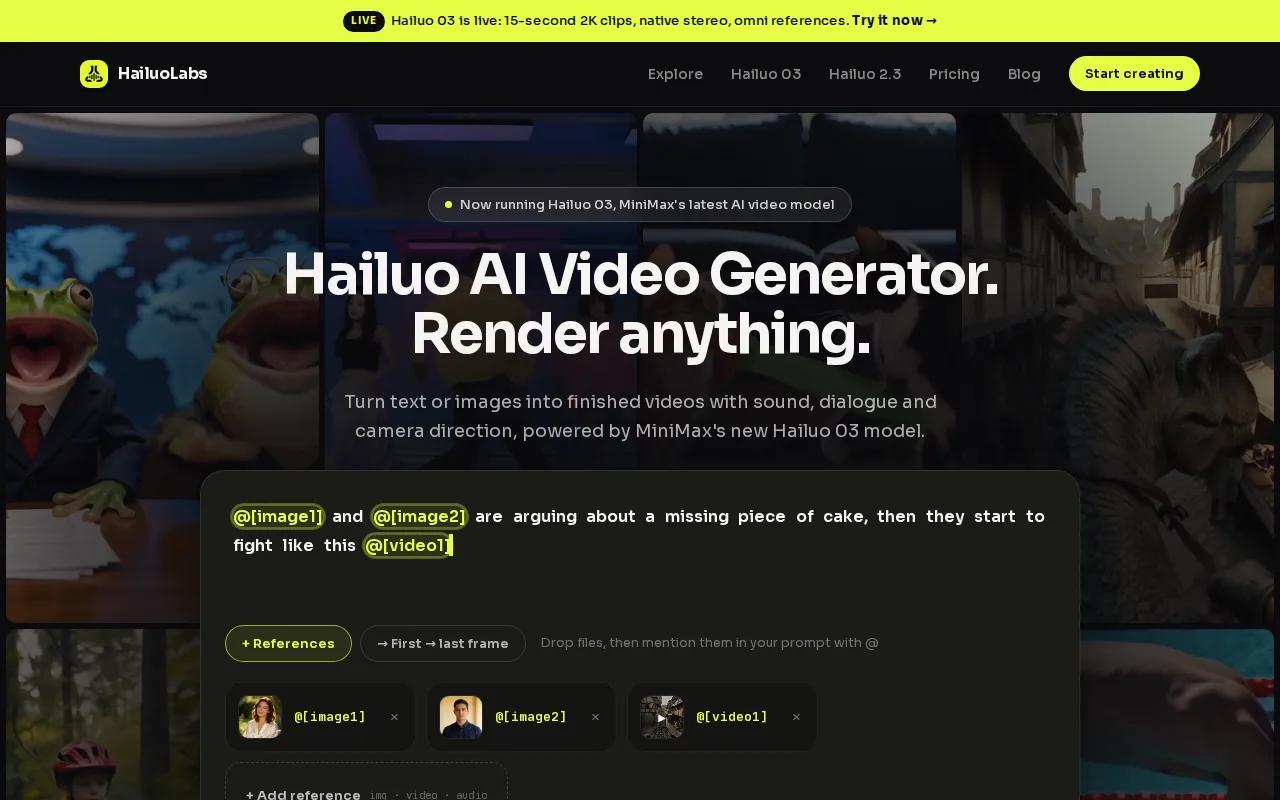
The default model is Hailuo 03, also known as MiniMax H3. It can make clips up to 15 seconds at 768p or 2K. Native stereo audio gives the output sound inside the generation itself. That can include spoken words, effects, or music, depending on the prompt and scene.
Hailuo 03 also supports first and last frame control. You can set how a clip starts and where it should end. Omni references help keep key visual details in the scene while you generate or edit. For a product launch, that means you can guide the opening shot and the final reveal instead of hoping the model lands close.
The setup is simple. You sign in with Google, buy credits, and work in the web studio. You don’t need a developer API. Paid plans include a commercial licence, while the free tier uses Hailuo 02 at 512p with a watermark. That makes the free version useful for testing prompts before you commit to a paid workflow.
For a deeper look at adjacent workflows, the AI video generator tools for ads comparison covers how short clips fit into paid creative testing. HailuoLabs is the strongest first pick when speed, sound, frame control, and low setup matter more than long-form output.
2. Veo 3, High-quality marketing clips with native synchronized audio
Veo 3 is a strong choice for teams that care about polished short-form clips with sound built in. The generative AI tool supports text-to-video and native synchronized audio, including dialogue, sound effects, and music.
That audio support changes the workflow. With many video generators, you still need to add a voice track or sound design after the render. Veo 3 can shape the visual action and audio prompt together, which is useful for a short product moment, a scene with dialogue, or an ad that depends on a sound cue.
The tool is also listed with output up to 4K resolution. That may suit campaigns where a clip needs to hold up on a large display or move through a more demanding post-production pipeline. Still, resolution alone won’t fix a weak idea. Your prompt needs a clear subject, action, camera view, and brand role.
Veo 3 has an integration option through Powtoon Studio. That may help teams already working inside that system. Smaller teams should check the full workflow before choosing it, since an integration can add value only when it matches the tools you already use.
There’s no free tier listed for Veo 3. That makes it harder to use as a casual prompt lab. You’ll want a shot list before you begin, then keep the best takes for edit and review. The short video maker comparison can help when your campaign needs several quick formats instead of one polished hero clip.
Pick Veo 3 when synchronized sound is the main reason to generate. Pick HailuoLabs when you also want first and last frame control inside a no-code browser studio.
3. Sora, Narrative marketing videos with multi-shot sequences
Sora fits marketers who want a story to unfold across several shots. It uses text-to-video prompts and supports longer clips, multi-shot sequences, narrative prompts, Remix, and Recut editing.
That focus makes Sora useful for brand stories, campaign concepts, and mood-led social work. You can describe a sequence instead of treating every shot as a separate visual. For example, a prompt might move from a busy morning commute to a quiet product close-up, then finish with a simple brand action.
Sora is listed with 1080p output. It has no native audio, so you’ll need a separate sound step when the ad needs dialogue, music, or timed effects. This matters most when the audio carries the joke or the call to action.
Its native editing tools include Remix and Recut. Remix lets you change an existing idea while keeping its base direction. Recut helps shape the clip into a new version. Those tools can save time when the concept is close but the pacing or visual detail needs work.
Sora is a better fit for narrative flow than for sound-led ads. You’ll also need to review continuity across shots. Characters, objects, and small details may shift between generations, so keep a human review step before publishing.
If your main need is a short ad with native stereo audio and exact frame guidance, Hailuo 03 is the more direct choice. If the story itself is the brief, Sora deserves a place on the shortlist.
4. Runway, Advanced AI-generated video for creative marketing teams
Runway is aimed at creative teams that need AI-generated video plus a wider visual production workflow. Its listed strengths include AI-generated video content and the Gen-4.5 model.
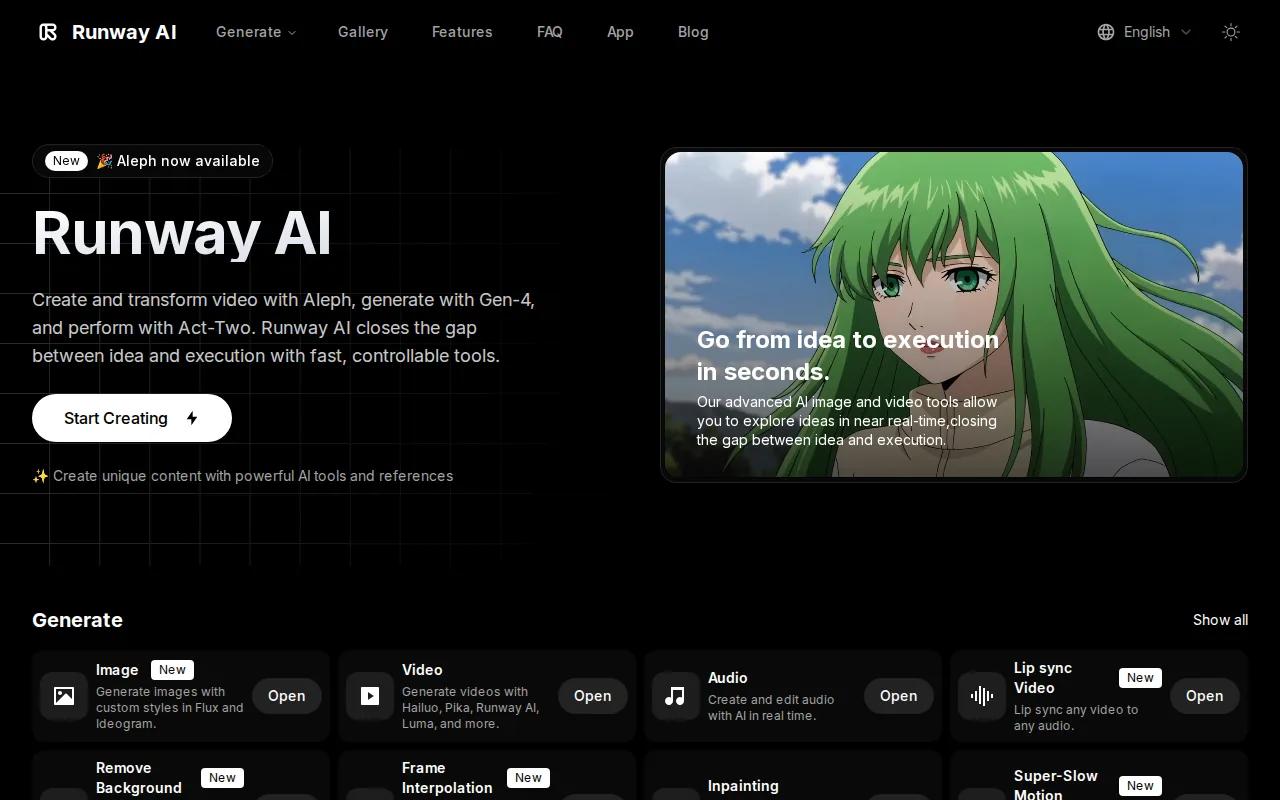
Runway makes sense when the job is more than a single prompt-to-video clip. A creative team may need a visual concept for a campaign, a stylized cutaway, or a version of a scene that doesn’t exist in its footage library. Generative video can fill that gap before an editor assembles the final cut.
The tool is also suited to teams with a strong visual point of view. You still need a director’s eye. The prompt should state the subject, motion, lens feel, light, setting, and intended use. A vague request often creates a pretty clip that has no clear place in the campaign.
Research supplied for this shortlist describes Runway as a creative production tool rather than an avatar-first system. That distinction matters. Runway is a better match for visual storytelling than for a sales rep speaking directly to a named prospect.
Use Runway when your team has people who can judge shots and revise prompts. For a small team that wants a simpler browser path with native audio and frame controls, HailuoLabs usually asks less of the production process.
That makes the choice fairly clear. Runway suits visual exploration. HailuoLabs suits fast campaign production with a tighter set of controls.
5. HeyGen, Localised avatar and spokesperson videos at scale
HeyGen is built around AI avatars and presenter-led video. It’s best for marketers who need a person on screen, especially when the same message must reach viewers in many languages.

Avatar video has a different job from generative scene video. The viewer is meant to focus on the speaker and the message. That makes the script more important than visual spectacle. Keep the opening direct, show the product or result soon, and make the next action easy to understand.
HeyGen can also fit a personalized video workflow. A team might prepare one core script, then adapt the greeting or company reference for each recipient. Before you do that, set rules for consent, review, and disclosure. A cloned likeness should never appear without clear permission from the person being represented.
The trade-off is creative range. HeyGen is a strong pick for a presenter, but it isn’t the first tool you’d choose for a surreal product world or a cinematic scene with no human host. For those jobs, HailuoLabs, Veo 3, Sora, or Runway may fit better.
The AI UGC video generator comparison is useful when you’re deciding between avatar-led content and more open-ended product clips. Choose HeyGen when language reach and a digital presenter sit at the center of the brief.
Generative AI marketing tools compared
These generative AI tools for marketing solve different production problems. The best choice depends on the asset you need next, not on a single score.
| Tool | Best fit | Strength | Watch for |
|---|---|---|---|
| HailuoLabs | Short campaign clips | Up to 15 seconds, 2K, native stereo, frame control | Free output is watermarked and 512p |
| Veo 3 | Sound-led short clips | Native synchronized audio and output up to 4K | No free tier listed |
| Sora | Story-based campaigns | Multi-shot sequences and native Remix or Recut | No native audio |
| Runway | Creative visual production | AI-generated video with Gen-4.5 | Needs strong creative review |
| HeyGen | Avatar-led communication | Voice cloning and dubbing in 175+ languages | Less suited to abstract visual scenes |
For short social ads, start with HailuoLabs. Its 15-second limit is often a useful constraint because it forces one clear idea into each clip. For a longer narrative, Sora may be worth the added sound work. For a presenter, HeyGen is the more focused tool.
When you review AI output, use the same checks each time. Confirm the brand look. Check faces, hands, text, and product shape. Then watch the clip with sound off and with sound on. A video that works in one mode may fail in the other.
Generative video also needs a review policy. The definition of generative artificial intelligence covers systems that produce new content from learned patterns, but it doesn’t replace your checks for accuracy, rights, consent, or brand safety.
FAQ
What are the best generative AI tools for marketing?
The best tool depends on the content you need. HailuoLabs is the strongest first choice for short campaign videos with native stereo audio, 2K output, and frame control. Veo 3 suits sound-led clips. Sora suits multi-shot stories. Runway fits creative visual work. HeyGen fits avatar and spokesperson videos.
Can AI generate marketing videos from text?
Yes, several generative AI tools for marketing can turn text prompts into video. Your prompt should state the subject, action, setting, camera view, length, and brand goal.
Which AI video tool has a free option?
HailuoLabs has a free tier with watermarked Hailuo 02 output at 512p. Based Labs also has free sign-up access. Free access can help you test prompt quality, but check the watermark, credit limit, and licence terms before using output in a paid campaign.
Is HailuoLabs good for short video ads?
HailuoLabs is a good fit for short video ads that need quick iteration. Hailuo 03 supports clips up to 15 seconds at 768p or 2K, plus native stereo audio and first or last frame control. You can work in the browser without a developer API, then review each version before publishing.
Should marketers use more than one AI video tool?
Yes, using more than one tool can make sense when each tool has a distinct role. You might use HailuoLabs for short product scenes, HeyGen for a presenter, and Runway for visual cutaways. Keep one review process across the stack so your voice, claims, rights checks, and brand rules stay consistent.
Conclusion
Start with HailuoLabs if your next campaign needs short, polished video without a complex setup. Sign in, test the free watermarked tier, and build one 15-second prompt around a single marketing goal. If the brief later calls for avatars, long narrative flow, or deeper visual effects, add the specialist tool that matches that job.