

A text to video API can turn a prompt into a short clip inside your app, but the fine print matters. One surveyed API lists an 8-second cap, while several others don't state a clip limit at all. Here are the best options, what each is good for, and where the limits may affect your workflow.
1. HailuoLabs
HailuoLabs is best for creators, marketers, and small studios that want a fast text to video workflow without building an API integration.
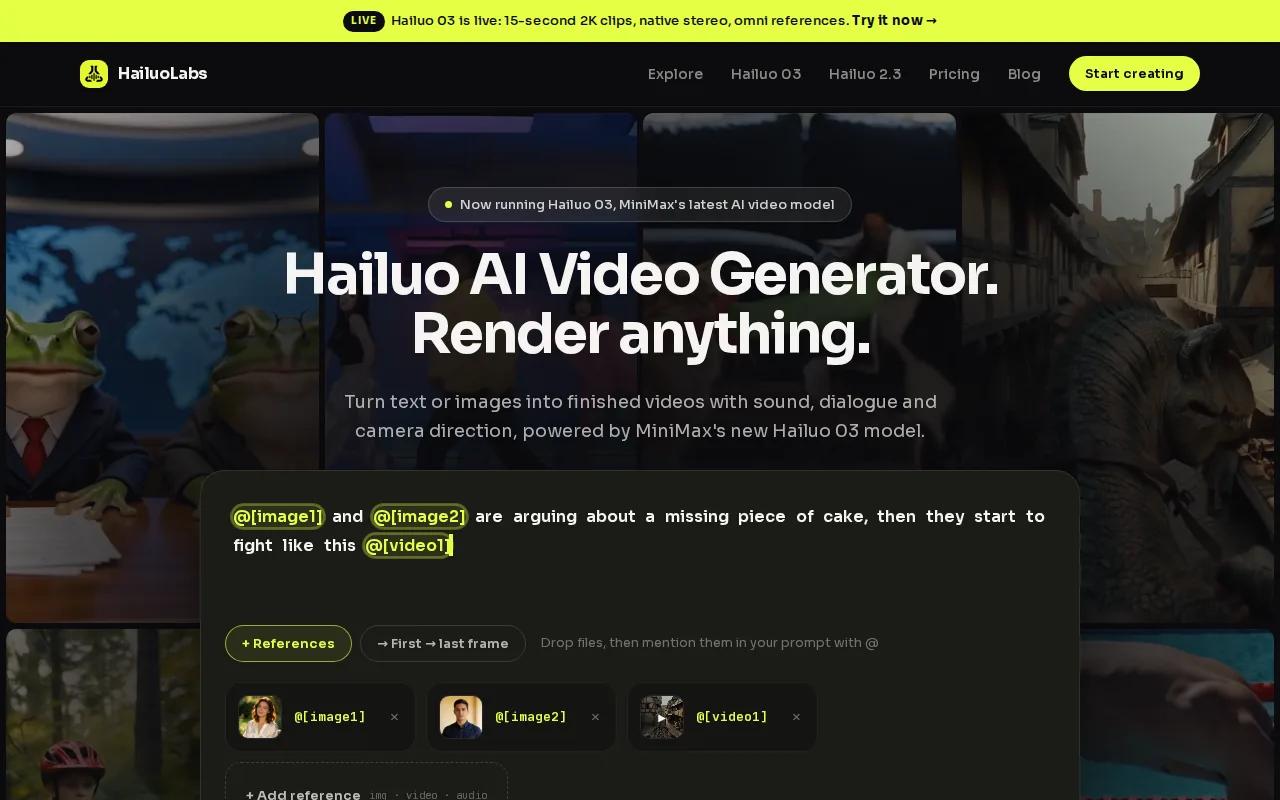
You can sign in with Google, buy credits, and generate clips in the studio. Hailuo 03 is the flagship model. It can generate clips up to 15 seconds at 768p or 2K. It also supports native stereo, first and last frame control, omni references, generation, and editing.
That mix helps when you need a product teaser, a social clip, or a short scene with more control than a single text prompt. You can also work with images, video, and audio, which makes HailuoLabs useful when a text-only workflow feels too narrow.
Free users can test Hailuo 02 at 512p with a watermark. Paid access opens Hailuo 2.3, Hailuo 2.3 Fast, Hailuo 03, higher resolutions, video references, and editing.
Here is the key caveat: HailuoLabs isn't a developer API. It is a studio for generating Hailuo video without using MiniMax's own site or a developer API. If you need a ready-to-use creative workspace, start here. If you need server-side calls, review the API options below.
For a broader look at browser-based generation, our comparison of Best AI Video Generators for 2026 can help you match a tool to your output needs.
2. Veo 3.1
Veo 3.1 is best for developers and enterprise users who need an API model with high stated output quality.

The published maximum resolution is 4K. The published maximum video length is 8 seconds. That short limit is the detail many teams may miss when they plan longer campaigns or automated product demos.
Veo 3.1 also lists first and last frame transitions. It supports object changes, such as adding or removing an object, along with smooth transitions. Its documented tools include ingredients to video and digital w, though you should confirm each feature in the current service documentation before building around it.
Veo 3.1 has documented model details and a maximum resolution of 4K. Check the current terms before you set a production budget, since resolution and generation volume affect cost.
3. Veo 3.1 Fast
Veo 3.1 Fast is best for teams that want the Veo 3.1 model family with a speed-focused option.

The maximum resolution is 4K. That gives developers a clear ceiling for output quality.
Before building an automated pipeline, confirm the exact duration rules and plan for retries when a request takes longer than expected.
Use this option when your team values throughput and can confirm the exact duration rules during implementation. Don't assume that the word Fast means unlimited length or instant results.
If your goal is social content rather than server-side rendering, compare the workflow with our guide to short video maker tools for 2026. An API may give you control, but a studio can reduce setup work.
4. Veo 3.1 Lite
Veo 3.1 Lite is best for projects that need a lower output ceiling than the full 4K model.
The listed maximum resolution is 1080p. That is enough for many web clips, product previews, and vertical social assets.
That makes it a sensible candidate for early tests, but you still need to test the full request path. Send a prompt that resembles your production prompt. Record the response time. Save the returned metadata. Then check whether the output fits your player and storage rules.
A smaller resolution can also reduce the size of each returned file. Don't treat that as a guaranteed cost claim, though. Confirm billing rules in the vendor's current documentation before you set a per-user quota.
Veo 3.1 Lite is a fit when 1080p meets your delivery needs and your team can accept less published detail about duration and editing.
5. Veo 3
Veo 3 is best for teams that need a documented 1080p ceiling within the Veo family.
Veo 3 has a maximum resolution of 1080p.
For a real estate listing, you might generate one short exterior shot, then create separate interior shots. For an e-commerce demo, you could request a close view of the item before assembling the final edit in your own system. This approach avoids assuming that one API call can produce a complete commercial.
Prompt design still matters. Describe the subject first. Then state the action and camera view. Add the setting last. Short prompts can work, but vague prompts make it harder to diagnose a weak result.
Choose Veo 3 when 1080p is enough and you prefer a model with a clear resolution target over one with fewer published details.
6. Veo 3 Fast
Veo 3 Fast is best for teams testing a faster path within the Veo 3 family.
Its listed maximum resolution is 1080p.
Build a small wrapper around the request. Give it a timeout. Log the model name, prompt ID, response status, and output duration when the service returns it. Those fields will help you spot a quota issue or an unexpected change during a daily review.
Fast models are tempting for news summaries and social clips because those workflows need fresh output. But a queue can still slow down during high demand. Set a retry rule that avoids sending the same request again and again.
For ad teams, the related AI video generator for ads comparison may help you decide if an API or a managed studio fits the handoff between copy, review, and export.
7. Veo 2
Veo 2 is best for teams that can work with a 720p maximum and want documented frame and camera controls.
The listed maximum resolution is 720p. Its documented editing capabilities include start and end frame interpolation, video extension, and camera controls. Frame interpolation helps connect two visual points. Video extension can help continue a clip. Camera controls give you more direction than a plain prompt.
Those controls can matter more than resolution in a short storyboard. Imagine a product demo that needs a smooth move between a wide shot and a close shot. A frame-based control may help you shape that handoff before you assemble the final cut.
Check the endpoint before testing the model version you plan to use.
Veo 2 makes sense when 720p works for your channel and the listed edit controls match your shot plan.
8. Gemini Omni Flash
Gemini Omni Flash is best for teams that want a model with a listed 4K ceiling and a broader multimodal direction.
Gemini Omni Flash has a maximum resolution of 4K. Target users are also not clearly defined, so smaller teams should test access, quotas, and output fit before committing.
Multimodal workflows can be useful when a prompt needs more than words. A product team may start with a product image. A news app may pass source media beside a short summary. A real estate tool may use listing images with a scene description. Teams working from still assets can also compare image to video AI generator tools. These cases need clear file handling and a review step before publishing.
Check pricing for model costs and access details. Don't copy a quota from an old code sample into production. Provider limits can change, and the API should expose failure states clearly.
For a hands-off creative workflow, HailuoLabs remains easier to test because you can work in its studio without writing the request layer. For a product that must generate video inside your own app, Gemini Omni Flash deserves a controlled technical trial.
How to choose a text to video API
Start with the output your users will actually watch. A 9:16 social clip has different needs from a 4K product display. Then check the items that tend to cause trouble during handoff:
- Duration: Confirm the maximum seconds and whether the value is fixed or adjustable.
- Resolution: Match the model's ceiling to your player, ad channel, or export rule.
- Async work: Plan for a task queue when generation takes time.
- Quota: Track requests per minute, daily limits, and failed retries.
- Editing: Check for frame controls, object changes, extension, or camera control.
- Storage: Save output files quickly if returned URLs expire.
- Access: Confirm the API key, billing setup, region, and model permissions.
Region checks matter. The model, endpoint, and API key must belong to the same region, or the call can fail. An asynchronous pattern can use a create-a-task step followed by polling for the result.
Task duration and returned URL availability can vary by provider, so save generated files promptly when they become available.
A basic request usually needs an API key, model name, prompt, and output settings. Depending on the provider, you may also set aspect ratio, duration, resolution, watermark behavior, seed, or a negative prompt. A negative prompt tells the model what to leave out.
For an asynchronous text to video API, the request may support fields such as resolution, aspect ratio, duration, prompt rewriting, watermark control, and seed. Its result may include task status and output details. Review API documentation before copying the structure into your app.
There is one more access point to clarify. A free API key or free tier can help you prototype. HailuoLabs does let free users test Hailuo 02 in the studio, with a watermark and 512p output. That is useful for judging the creative workflow, but it is not the same as free server-side API access.
FAQ
What is the best text to video API?
The best text to video API depends on your output and integration needs. Veo 3.1 is the clearest fit for developers and enterprise users because it has a 4K ceiling, editing controls, and an 8-second limit. HailuoLabs is the easier choice when you want to generate clips in a studio without building an API.
Is there a free text to video API?
There may be free access in some services. HailuoLabs provides free studio access to Hailuo 02 at 512p with a watermark. That lets you test the creative process, but it doesn't provide free developer API calls.
How do I get an API key for text to video?
Get an API key by opening the provider's developer console, creating a project, enabling the video model, and setting up billing when required. Keep the key on your server. Don't place it in browser code or a public mobile app. Then test one request with a short prompt before adding retries.
How long are videos made by a text to video API?
Video length varies by model and may not be published. Veo 3.1 has a stated cap of 8 seconds. Treat duration as an API setting or returned value until the provider confirms a fixed limit. Longer stories may need several clips joined in your own editor.
Can I use a text to video API for commercial videos?
You can use an API for commercial video work only when its terms grant the rights you need. Check commercial licensing, output ownership, watermark rules, and rights for uploaded images or audio. For a managed studio workflow, review HailuoLabs' current plan terms before publishing paid ads or client work.
If you want the fastest path to testing AI video, start with HailuoLabs in the studio and judge the output against your real prompts. If your product needs server-side generation, run a small paid API test next, log duration and quota behavior, then choose the model that fits your delivery rules. Use the HailuoLabs studio for creative testing.


